If you’re dealing with iptv smarters pro not working, you’re not alone. In 2026, more users rely on IPTV apps to watch live tv, sports, and video on demand across multiple devices. When the app suddenly stops working, it can be frustrating, especially during important events or live matches.
The challenge is that this issue doesn’t have a single cause. IPTV Smarters Pro depends on your device, internet connection, and service provider. That means the same problem can come from different sources.
This guide takes a practical approach. Instead of random fixes, you’ll follow a clear troubleshooting path that helps you identify the exact cause and fix it quickly.
Quick Checks That Fix Most Issues in Minutes
Before diving into advanced steps, start with quick checks. These solve a large percentage of iptv smarters pro not working cases.
First, test your internet connection. Open another streaming app and see if it works. If other apps load without problems, your connection is likely fine.
Next, restart your device and router. Power off your device, unplug your router for about 60 seconds, and turn everything back on. This clears temporary network issues.
Then, try switching networks. If the app works on mobile data but not on WiFi, the issue is likely related to your home network or ISP.
These simple steps often solve the problem without needing deeper troubleshooting.
Understanding IPTV Smarters Pro Not Working
The iptv smarters pro not working issue happens when the app cannot properly load or stream content from the server.
The app works as an iptv player, meaning it connects to a provider that supplies live tv and video on demand content. If any part of this connection fails, the app may stop working.
This failure can come from multiple points. It could be the app itself, your login credentials, the server, or your internet connection. That’s why a structured troubleshooting process is essential.
Common IPTV Smarters Pro Not Working Problems
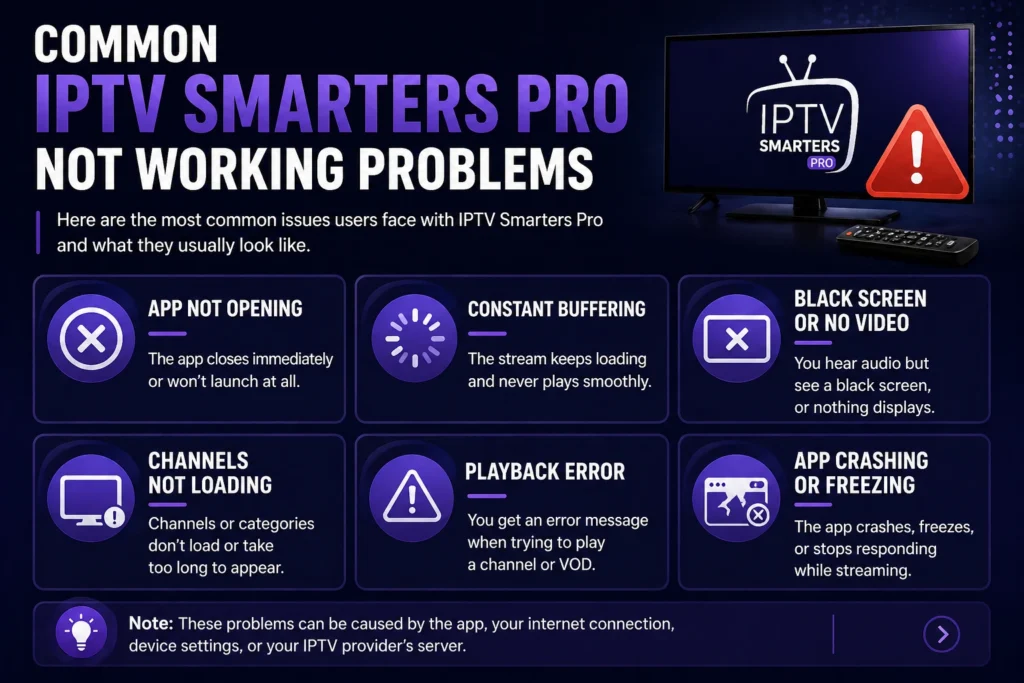
Instead of focusing on one error, it’s better to look at the different ways this issue appears.
Some users experience the app not opening at all. Others see a black screen or constant buffering. In some cases, channels do not load, or playback fails. There are also situations where the app crashes or freezes during use.
Each of these problems has different causes, so identifying the exact symptom helps you apply the right fix faster.
Step-by-Step Troubleshooting Flow
To fix iptv smarters pro not working efficiently, follow this step-by-step process.
- Start with the app itself. Check if you are using the latest version. Updates often fix bugs and improve compatibility.
- Force close the app and reopen it. This refreshes the connection and can solve temporary issues.
- If the problem continues, clear the app cache. This removes corrupted temporary files without deleting your login information.
- If that does not work, clear app data and log in again. This resets the app completely and fixes deeper issues.
- As a last step, uninstall and reinstall the app. This ensures you are using a clean version without any corrupted files.
- After each step, test a channel to see if the issue is resolved.
Fixing Login and Access Issues
If iptv smarters pro not working appears during login, the issue is usually related to credentials or account status.
Make sure your username, password, and server URL are entered exactly as provided. Even a small mistake can block access.
Check if your subscription is active. Expired accounts will not allow access to content.
If everything looks correct but the problem continues, contact your provider to confirm that your account is active and the server is running properly.
Fixing Buffering and Streaming Problems
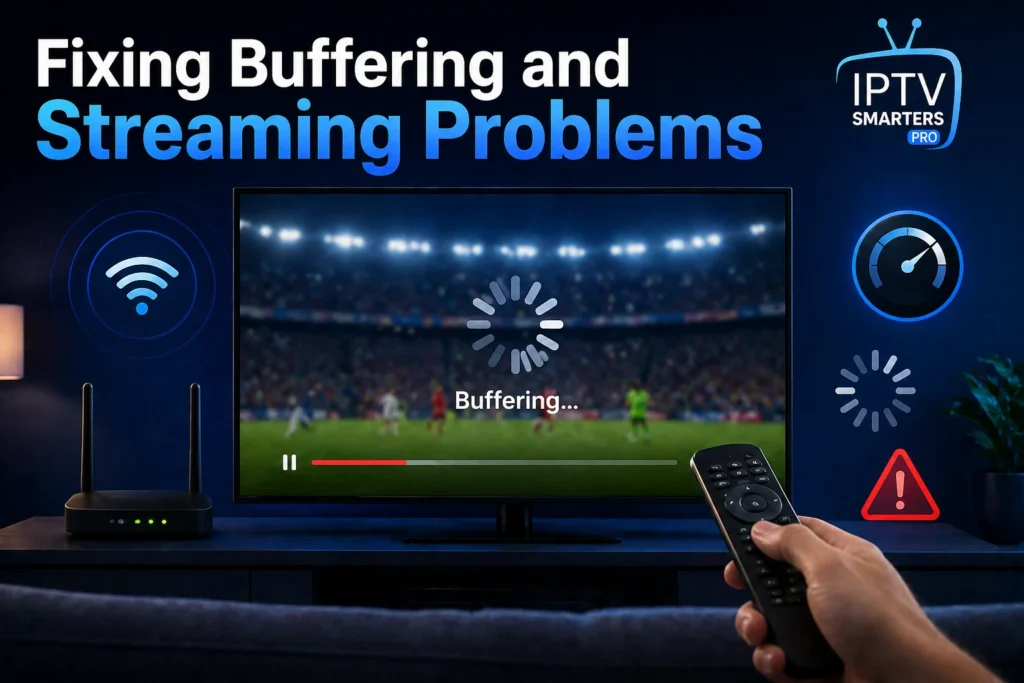
Buffering is one of the most common forms of iptv smarters pro not working.
Start by checking your internet speed. For smooth streaming, at least 10 Mbps is recommended, while higher speeds are better for HD content.
Switching to a wired Ethernet connection can improve stability. WiFi interference often causes buffering issues.
Closing background apps can also help. Other applications may be using bandwidth and affecting your stream.
During peak hours, reducing video quality can improve playback and reduce interruptions.
Fixing Playback Errors and Channel Issues
If channels do not load or show playback errors, the issue is often related to the provider or server.
Try switching to another channel. If only one channel fails, the issue is likely with that specific stream.
Restart the app to refresh the connection. This can resolve temporary loading issues.
If multiple channels are not working, check if the provider is experiencing downtime or maintenance.
Fixing Black Screen and Video Issues
A black screen is another common problem when iptv smarters pro not working.
This issue is often related to video decoding. Disabling hardware acceleration in the app settings can fix it.
You can also switch to a different player within the app. Some streams work better with alternative players.
If the problem continues, reinstalling the app can remove corrupted files causing the issue.
Fixing App Crashing and Freezing
If the app crashes or freezes, the problem is usually related to your device.
Free up storage space and close unused apps. Low memory can cause instability.
Make sure your device software is up to date. Updates improve compatibility with streaming apps.
Older devices may struggle with high-quality streams, so lowering video quality can improve performance.
Network and ISP Issues
Sometimes iptv smarters pro not working is caused by network restrictions.
If the app works on mobile data but not on your home network, your ISP may be limiting certain traffic.
Testing with a VPN can help identify this issue. If performance improves with a VPN, the problem is likely related to your network.
However, VPNs should be used carefully, as they can also affect speed and latency.
Comparison of Common Fix Methods
| Fix Method | Speed | Effectiveness | Difficulty |
|---|---|---|---|
| Restart device | Fast | Medium | Easy |
| Clear cache | Fast | High | Easy |
| Reinstall app | Medium | High | Medium |
| Change network | Fast | High | Easy |
| Contact provider | Slow | High | Easy |
This table helps you prioritize the most effective solutions first.
Benefits and Limitations
Using iptv smarters pro offers flexibility, access to live tv, and support for video on demand. It works on multiple devices and provides a smooth interface.
However, it depends heavily on the service provider and internet quality. Issues like iptv smarters pro not working can happen if either of these is unstable.
Devices and Compatibility
IPTV Smarters Pro works on Firestick, Android devices, smart TVs, smartphones, and computers. This makes it a versatile option for streaming.
However, performance may vary depending on the device. Older hardware may struggle with high-quality streams.
Best Practices to Avoid Issues
To reduce the chances of iptv smarters pro not working, keep the app updated, use a stable internet connection, and choose a reliable provider.
Restart your device regularly and clear cache when needed. Avoid overloading your network with multiple high-bandwidth activities.
Improve Your Streaming Setup
Fixing iptv smarters pro not working is only one part of improving your streaming experience. A well-configured setup can prevent many issues before they happen.
Learning how to install IPTV Smarters Pro on Firestick properly can help avoid setup mistakes. Exploring different iptv player options can also improve stability and performance.
Understanding how to optimize your connection and reduce buffering will make your live tv and video on demand experience smoother.
FAQ Section
How to install IPTV Smarters Pro on Firestick?
Enable apps from unknown sources in Firestick settings. Install the Downloader app, enter the download URL, and install IPTV Smarters Pro. Open the app and log in using your credentials.
Why is IPTV Smarters Pro not working?
The iptv smarters pro not working issue can be caused by login errors, expired subscriptions, server problems, or internet issues. Identifying the cause helps fix it faster.
Can I fix IPTV Smarters Pro not working without support?
Yes, most problems can be solved by restarting the app, clearing cache, checking credentials, and testing your internet connection.
Conclusion
The iptv smarters pro not working issue may seem complex, but in most cases, it can be fixed quickly with the right approach.
By following a structured troubleshooting process, you can identify whether the problem comes from your device, network, or provider. Once you understand the cause, applying the right solution becomes much easier.
Improving your setup and following best practices will help you avoid future issues and enjoy a smoother streaming experience.