For many viewers, sport is the main reason to pay for TV. A service that looks fine on a quiet afternoon can fall apart in the last ten minutes of a derby. This guide covers what matters for sport and how to test it before you pay.
Disclosure: WatchingStream is published by the same team that runs Velora4K, Mom IPTV and RobotIPTV. We apply the same criteria to each one and take the details from their own pages. Check prices and terms on each site before you buy.
What makes a good sports setup
- A stable stream during peak demand.
- The competitions you follow, with the right commentary.
- Low delay behind the live broadcast.
- A guide that shows kickoff times.
- Enough connections for the household.
Licensed sports apps and subscription IPTV
Most major competitions are licensed to specific broadcasters and streaming apps. These give you certainty and support. Subscription IPTV services list large channel lists that include sport channels, and their licensing varies. Compare both. The legal providers guide lists licensed options, and the official pages for each league explain who holds rights near you.
Subscription services compared
| Velora4K | Mom IPTV | RobotIPTV | |
|---|---|---|---|
| Sport listed | Live sports | Football, NFL, NBA, NHL, MLB, F1, UFC, boxing and wrestling | Live sports |
| Entry plan | 3 months, $29.99 | 1 month, $14 | 3 months, $29.99 |
| Money back | 7 days | Up to 45 days | 7 days |
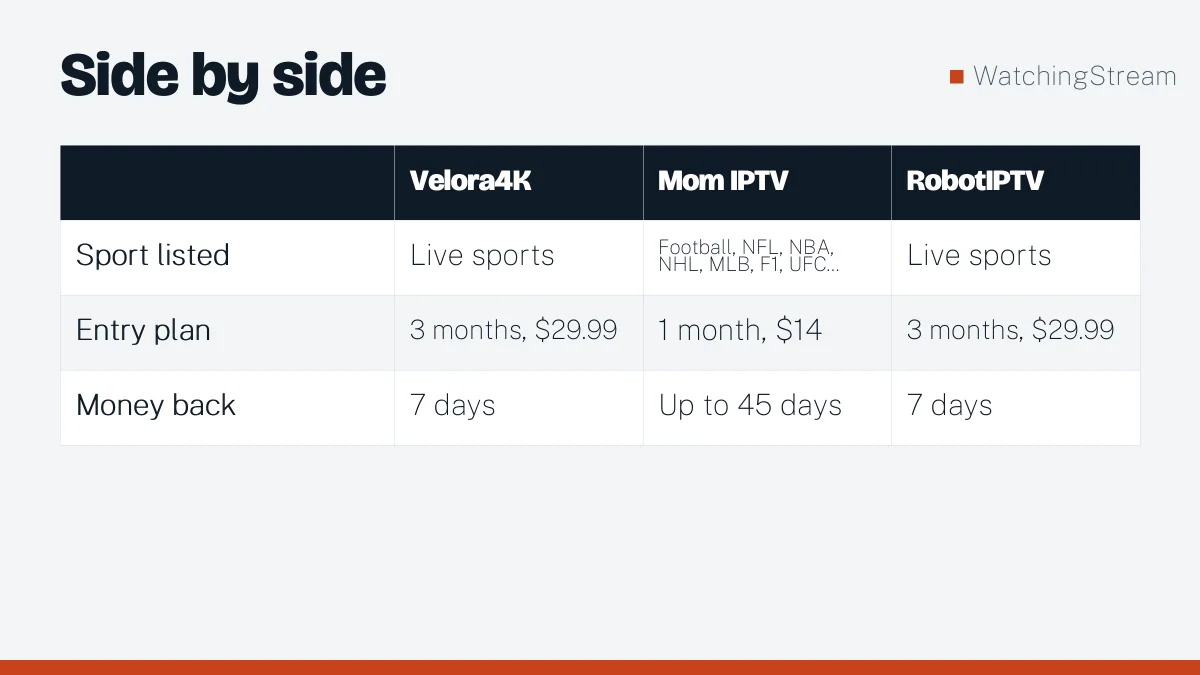
A one-month plan is convenient for a single season or tournament, as Mom IPTV’s plans allow. Velora4K and RobotIPTV start at three months. Mom IPTV’s sports guide and RobotIPTV’s sports page give more detail.
Choosing a plan for sport
- How many screens? One per person watching at the same time.
- How long is the season? Match the plan length.
- Live or later? If you watch later, delay does not matter.
Delay and spoilers
Streams run 10 to 60 seconds behind a broadcast. Mute phone alerts and chat during big matches.
Watching two matches at once
Some players offer multi-view. Each stream uses bandwidth, so plan for 8 to 10 Mbps per stream.
Avoiding buffering on match day
- Use a cable to the TV.
- Close other apps and downloads.
- Restart the router in the morning.
- Use a good router. See our router guide.
- Do a test the day before.
Devices
A recent Fire TV stick, Android TV box or Apple TV handles sport well. See the Firestick app guide.
Sport guides
Specific guides: ESPN, NBA, NFL, and IPTV in the UK.
Frequently asked questions
What is the best IPTV for sports?
One that is stable at peak time on your connection. Test a trial during a live match, because quiet hours hide the problems that show up when thousands watch the same game.
What speed do I need?
8 to 10 Mbps per HD stream and about 25 Mbps for 4K. Multiply by the number of screens.
Why does sport buffer during big games?
Because many people watch at once and both servers and home networks are loaded. A cable, a better router and a lower quality setting help. See the router guide.
Is sports IPTV legal?
It depends on the rights a provider holds. Check before you pay, and see the licensed options.