
A Firestick setup has two halves: the service that supplies the channels and the app that shows them. The same service can feel fast and tidy in one app and slow in another, so the app is worth choosing carefully.
Disclosure: WatchingStream is published by the same team that runs Velora4K, Mom IPTV and RobotIPTV. We apply the same criteria to each one and take the details from their own pages. Check prices and terms on each site before you buy.

What an IPTV app does
The app takes your login, loads the channel list and the guide, and plays the stream. It adds the features you touch every day: favourites, search, recording support, parental controls and picture settings. It brings no channels of its own.

Why the app matters on a Firestick
Fire TV sticks have limited memory and a remote with few buttons. A light app with good navigation feels far better than a heavy one, and a player that handles large lists avoids crashes.
How we compared them
We looked at which login types each app accepts, how it handles big channel lists, the guide, ease of use with a remote and how it is installed. Prices and features change, so check the app page before you pay for anything.
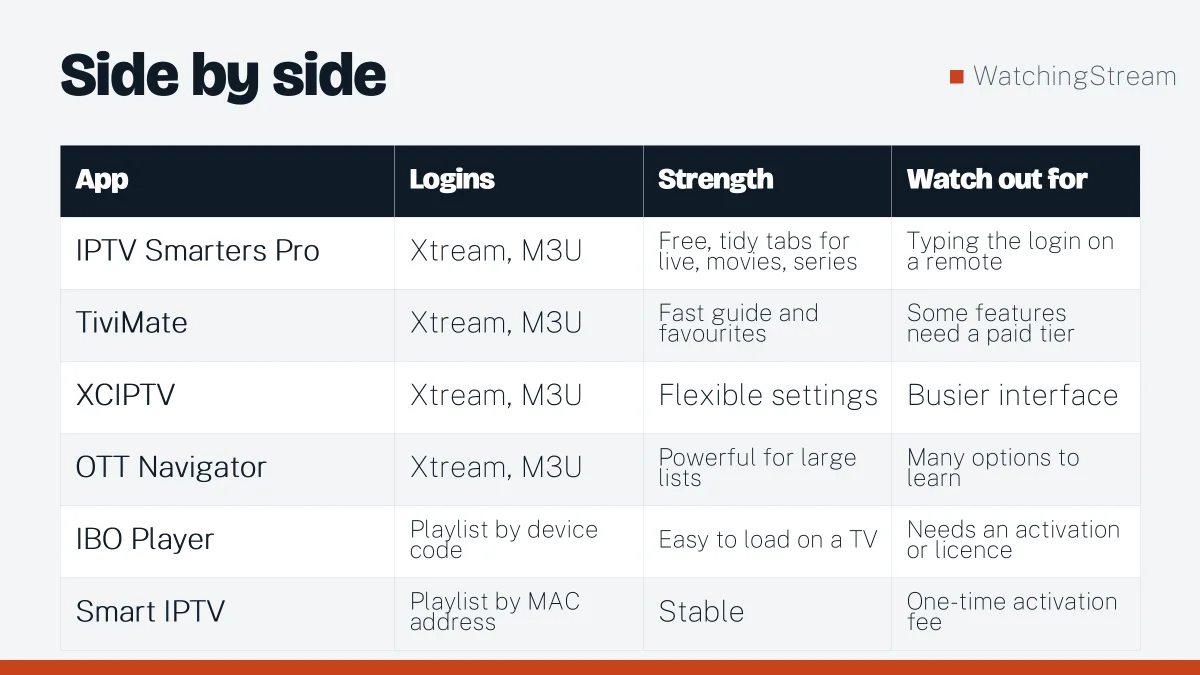
At a glance
| App | Logins | Strength | Watch out for |
|---|---|---|---|
| IPTV Smarters Pro | Xtream, M3U | Free, tidy tabs for live, movies, series | Typing the login on a remote |
| TiviMate | Xtream, M3U | Fast guide and favourites | Some features need a paid tier |
| XCIPTV | Xtream, M3U | Flexible settings | Busier interface |
| OTT Navigator | Xtream, M3U | Powerful for large lists | Many options to learn |
| IBO Player | Playlist by device code | Easy to load on a TV | Needs an activation or licence |
| Smart IPTV | Playlist by MAC address | Stable | One-time activation fee |
How to choose
- Want free and simple: IPTV Smarters Pro. See the install guide.
- Want a sharp guide and favourites: TiviMate.
- Want to load a list from a computer: IBO Player or Smart IPTV.
- Have a huge channel list: OTT Navigator.
Installing apps on a Firestick
Search the Amazon Appstore first. For anything not listed, sideload with Downloader from the developer’s own site, and turn off unknown app installs afterwards. If an app stops working, use the fixes guide.
A note on legality
Players are legal. Make sure the content you load is licensed where you live.
Which service goes with the app?
Some services include a player licence. Velora4K lists a free IBO Player Pro licence with its plans, and Mom IPTV and RobotIPTV work with the standard players above. RobotIPTV also published its own Firestick app comparison.

Frequently asked questions
What is the best IPTV app for Firestick?
IPTV Smarters Pro is a good free starting point, and TiviMate suits daily use because of its guide and favourites. The best choice is the one that supports your login type and feels comfortable with the remote. Test one for a few days before you decide.
Can I use two apps with one login?
Yes, but both count as a connection if they play at the same time. Using two apps is useful for comparing how they handle your list, but only run one at a time if your plan allows a single connection.
Do these apps include channels?
No. You need a login from a service. The app only shows what the service supplies. See the types of IPTV to understand what a service offers.
How do I choose between them?
Look at the guide, the speed of channel changes and how well the app handles a large library. Install two, load the same login and use each for an evening. The one you reach for first is the right one.