
People use the words IPTV and internet TV as if they meant the same thing. They overlap, but they are not identical, and the difference changes what you pay and what you can watch.

What IPTV means
IPTV is television delivered over an IP network. In everyday use it means a subscription that gives you many live channels, usually with a movies and series library, loaded into a player app with a login. Our IPTV explainer has the full picture.

What internet TV means
Internet TV usually means the streaming apps and live TV apps you install from an app store: subscription catalogues, free ad-supported channels and the online services of broadcasters. They are sold by a single company, with a fixed set of channels or titles.
The key differences
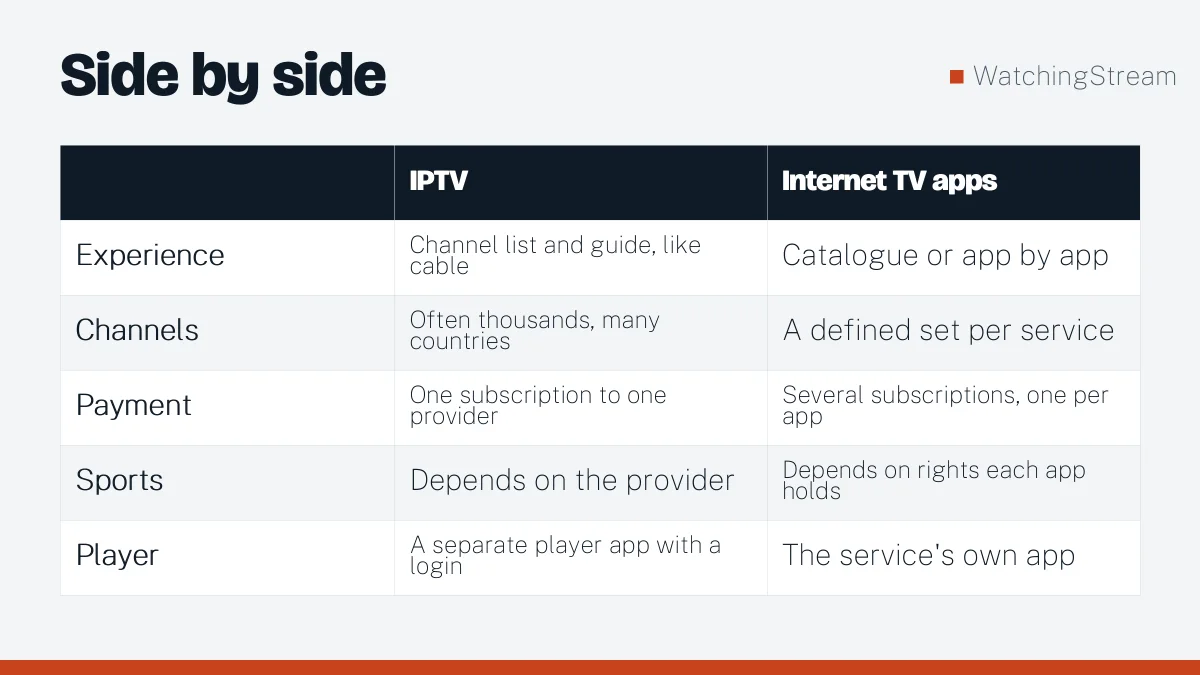
| IPTV | Internet TV apps | |
|---|---|---|
| Experience | Channel list and guide, like cable | Catalogue or app by app |
| Channels | Often thousands, many countries | A defined set per service |
| Payment | One subscription to one provider | Several subscriptions, one per app |
| Sports | Depends on the provider | Depends on rights each app holds |
| Player | A separate player app with a login | The service’s own app |
Pros and cons of IPTV
- Pros: wide channel choice, one login, works on many devices, often good for international viewers.
- Cons: you must choose a trustworthy provider, set up a player, and check that the content is properly licensed.
Pros and cons of internet TV apps
- Pros: simple to start, official apps, clear licensing.
- Cons: you pay several companies, catalogues rotate, and live sports are scattered across services.
Which one should you choose?
Choose internet TV apps if you want simplicity and clear licensing. Choose IPTV if you want one login for a large channel list, or channels from several countries. Many households use both. Licensed live TV services are a good starting point if you want certainty.
What you need to start with IPTV
- A stable connection with at least 8 to 10 Mbps per HD stream.
- A device: smart TV, stick, box, phone or computer.
- A player app and a login from your provider.

If you want to try providers, Mom IPTV’s 24-hour trial and Velora4K’s 24-hour trial are listed on their sites. Read how to test a trial properly first.
Data use
A rough guide is 1 GB per hour for standard definition, 3 GB for HD and 7 GB for 4K. IPTV and internet TV use about the same for the same quality. See what VOD is for how on-demand libraries stream.

Frequently asked questions
Is IPTV the same as internet TV?
They are close but not identical. IPTV usually means a subscription with a large live channel list and a guide, loaded into a player app with a login. Internet TV usually means the streaming and live TV apps you install from a store, each sold by one company with its own set of channels or titles. The difference matters because it changes what you pay, how many apps you manage and how easy it is to find a live match.
Is IPTV better than streaming apps?
It depends on what you value. IPTV gives you one login for a large channel list, which can be handy if you follow several countries or sports. Streaming apps give you simple setup, official apps and clear licensing, which many people prefer for peace of mind. List the channels and shows you actually watch and see which route covers them with the least money and effort.
Do I need a box for IPTV or internet TV?
No. A smart TV, a Fire TV stick, an Android box, a phone, a tablet or a computer can run both. A small stick is useful if your TV is old or has few apps, because it adds a modern app store for a low price. If you are unsure which device suits you, the setup guide explains the options step by step.
Which one uses more data?
The same video quality uses about the same data on either. Roughly, standard definition is about 1 GB per hour, HD about 3 GB and 4K about 7 GB. What changes your total is how many screens run at once and how long you watch, not which type of service you use. If you have a monthly cap, lower the quality in the player settings.